

Nov 04
admin
Monster Crown: Sin Eater Download
Monster Crown: Sin Eater is a monster-taming role-playing game that takes players into a mysterious fantasy world filled with unusual creatures, dangerous encounters, and difficult decisions. Developed by Studio Aurum and published by Studio Aurum and Red Art Games, the game builds on the monster-collecting concept with deeper breeding mechanics, monster fusion, turn-based battles, and a branching storyline.
Players follow Asur, a young boy who dreams of becoming a Monster Tamer. When his family faces a serious threat, he must leave his familiar life behind and explore the Crown Nation. Along the way, he discovers new monsters, builds a team of companions, and makes choices that can influence the direction of his adventure.
With more than 1,000 unique monster sprites, hundreds of available colors, and an extensive crossbreeding system, the game offers plenty of possibilities for players who enjoy collecting and customizing creatures. Its detailed pixel-art environments and story-focused gameplay make it an interesting option for fans of classic monster-catching RPGs.
Game Overview
Monster Crown: Sin Eater combines monster collection, exploration, strategy, and role-playing elements in a top-down 2D adventure. Instead of simply collecting creatures and using them in battles, players can experiment with crossbreeding and fusion to create distinctive monsters for their teams.
| Game Detail | Information |
|---|---|
| Game Title | Monster Crown: Sin Eater |
| Developer | Studio Aurum |
| Publisher | Studio Aurum, Red Art Games |
| Release Date | April 30, 2026 |
| Genre | RPG, Adventure, Strategy |
| Platform | Windows PC, PlayStation 5, Xbox Series X|S, Nintendo Switch |
| Game Style | 2D, Top-Down, Pixel Art |
| Gameplay | Monster Taming, Breeding, Turn-Based Combat |
| Storage | 3 GB available space |
The game launched digitally on PC and major consoles on April 30, 2026. It is a paid release, while a free demo is available for players who want to experience a sample before purchasing the full game.
Story and Setting
Explore the World of Crown Nation
The adventure takes place in Crown Nation, a fantasy world featuring towns, wilderness areas, and locations filled with different characters and monsters. The environment is designed with detailed pixel art, giving the game a distinctive visual identity while supporting its darker fantasy atmosphere.
As players travel through the world, they encounter creatures with different personalities and behaviors. Some monsters may run away when approached, while others can chase the player or stalk them from the shadows. These encounters make exploration feel less predictable and encourage players to pay attention to their surroundings.
Towns also play an important role in the adventure. They contain characters, conversations, and story developments that help reveal more about the world and its problems.
Meet Asur, the Main Character
The story follows Asur, a young farm boy who has always wanted to become a Monster Tamer like his older brother. His ordinary life changes when his family is placed in danger. Asur must take action, begin a difficult journey, and find a way to protect the people he cares about.
His adventure gradually expands beyond a personal mission. As he explores Crown Nation and encounters new challenges, his decisions can influence the wider story. Players experience the world through his perspective, building a team of monsters and facing opponents along the way.
Choices and Story Consequences
Dialogue and player decisions are important parts of Monster Crown: Sin Eater. Conversations are not included only to provide background information; certain choices can affect the game’s events and story direction.
This branching approach gives players more reason to pay attention to characters and think carefully before responding. It also adds replay value for those who want to explore different outcomes and see how alternative decisions affect the adventure.
Gameplay Features
Monster Taming and Collection
Monster collection is at the center of the experience. Players encounter creatures throughout Crown Nation and work toward building a team that can handle different challenges.
The game features a wide variety of monster designs, colors, and combinations. Finding a creature that fits a preferred playstyle is part of the adventure, but collecting monsters is only the beginning. Players can also experiment with breeding and fusion to develop more distinctive companions.
The variety encourages exploration because new areas may introduce monsters that players have not encountered before. Building a strong collection can take time, particularly for those who want to discover unusual combinations and variants.
True Crossbreeding System
One of the game’s most important features is its True Crossbreeding system. This mechanic allows players to combine monsters and produce offspring with distinctive appearances and characteristics.
Rather than treating every creature as a fixed design, the system gives players room to experiment. Different breeding combinations can lead to new visual results, making monster creation an important part of progression.
The large number of possible combinations gives collectors a long-term goal. Players who enjoy discovering rare creatures and testing different combinations may find this system particularly engaging.
Monster Fusion and Transformations
In addition to crossbreeding, the game includes a Monster Fusion system. This provides another way to develop creatures and explore different monster combinations.
Some monsters can also transform when exposed to particular elements. Players can experiment with items on their favorite creatures to discover possible changes. These mechanics reward curiosity and make it worthwhile to test different approaches instead of relying on a single collection strategy.
Key Features of Monster Crown: Sin Eater
More Than 1,000 Unique Monster Sprites
The game includes more than 1,000 unique, hand-crafted monster sprites and hundreds of color options. This variety gives players many possibilities when searching for creatures that match their preferences.
The extensive visual selection is especially appealing to collectors who enjoy finding unusual designs and building a team that feels personal.
Extensive Monster Customization
Crossbreeding and fusion give players meaningful ways to customize their collection. Instead of relying only on creatures found in the wild, players can experiment with combinations to create different results.
This system adds depth to the monster-taming experience and encourages continued experimentation.
Monsters With Different Behaviors
Creatures in the wilderness have individual behaviors. Some flee, some pursue the player, and more sinister monsters may stalk them from the shadows.
These encounters make the world feel more active and give exploration a sense of uncertainty.
Branching Dialogue and Meaningful Choices
Player decisions can influence the story, making conversations an important part of the experience. This feature gives characters and interactions a greater role in the adventure.
Players who enjoy narrative-driven RPGs may appreciate having choices that matter beyond simple dialogue selection.
Multiple Difficulty Settings
The game includes different difficulty options, allowing players to choose a challenge level that better suits their preferences. This can make the adventure more accessible to newcomers while giving experienced players options for a tougher experience.
Graphics and Sound Design
Visual Style and Environments
Monster Crown: Sin Eater uses a 2D pixel-art style with a top-down perspective. Its visual design combines retro-inspired presentation with detailed environments and a large variety of monster sprites.
The different creatures are an important part of the game’s appearance. Their designs and color variations help distinguish the collection system, while the environments provide a backdrop for exploration and encounters.
Players who enjoy classic-style RPG graphics may appreciate the game’s visual approach. Rather than focusing on realistic 3D effects, it uses detailed 2D artwork to create its fantasy world.
Music and Sound Effects
The soundtrack and soundscape help establish the atmosphere of Crown Nation. Music supports the adventure, while sound effects add character to encounters and the surrounding environments.
Together, these elements help create a more immersive experience as players explore, interact with characters, and battle monsters.
System Requirements for PC
Before downloading Monster Crown: Sin Eater, check that your computer meets the game’s published minimum system requirements. The official Steam listing provides relatively broad hardware specifications.
| Component | Minimum Requirements |
|---|---|
| Operating System | Windows 10/11 |
| Processor | Intel/AMD |
| Memory | 2 GB RAM |
| Graphics | Integrated/Dedicated |
| Storage | 3 GB available space |
The listed requirements are modest compared with many modern PC games. However, actual performance can still depend on your computer’s hardware, drivers, and background applications. Make sure you have enough free storage and an up-to-date system before installing the game.
Why Play Monster Crown: Sin Eater on PC?
The PC version offers a convenient way to explore Crown Nation and manage a growing monster collection. Players can use a compatible controller or their preferred supported input method, depending on their setup.
A larger display can make it easier to appreciate the pixel-art environments and monster designs. PC players can also manage their game library and updates through Steam, keeping the installation connected to the official store.
The biggest attraction, however, is the gameplay itself. The combination of monster collection, crossbreeding, fusion, turn-based battles, and story choices provides several systems to explore. Players who enjoy experimenting with creature combinations may find plenty to work toward beyond simply completing the main adventure.
Tips for New Players
Experiment With Crossbreeding
Do not limit yourself to using only the monsters you find at the beginning of the adventure. Try different breeding combinations and pay attention to the results. Experimentation is one of the central parts of the game, and it can help you discover creatures with distinctive appearances.
Build a Balanced Team
A strong team should be able to handle different encounters. Consider the abilities and roles of your available monsters rather than choosing companions based only on appearance. Try different combinations as you progress and adjust your team when you encounter new challenges.
Explore Every Area
Take time to explore the world instead of rushing through the main story. Wild areas can introduce new monsters, while towns contain characters and conversations that provide additional context.
Pay Attention to Dialogue
Since decisions can affect the story, read conversations carefully. Consider the responses available before making important choices, especially when interacting with characters connected to the main storyline.
Try Different Items on Monsters
Some monsters can transform when exposed to particular elements. Experimenting with suitable items may reveal unexpected changes, so keep an open mind when developing your collection.
Frequently Asked Questions
Is Monster Crown: Sin Eater available on PC?
Yes. Monster Crown: Sin Eater is available for Windows PC through Steam. It was released on April 30, 2026.
Is Monster Crown: Sin Eater free to download?
The full game is a paid release. However, an official free demo is available for players who want to try a portion of the experience before purchasing.
Who developed Monster Crown: Sin Eater?
The game was developed by Studio Aurum. Studio Aurum and Red Art Games are listed as publishers on Steam.
When was Monster Crown: Sin Eater released?
The digital release date was April 30, 2026, for PC and major consoles.
Does Monster Crown: Sin Eater feature multiplayer?
The game is primarily presented as a story-driven monster-taming RPG. Check the official Steam listing for the latest information about supported play modes and features.
How many monsters are available in the game?
The game features more than 1,000 unique, hand-crafted monster sprites, along with hundreds of color options. These include variations made possible through the crossbreeding system.
Can players breed and fuse monsters?
Yes. Players can use the True Crossbreeding system and Monster Fusion to create different monster combinations and customize their collection.
Can monsters transform in Monster Crown: Sin Eater?
Yes. Certain monsters can transform when exposed to specific elements. Players can experiment with items to discover possible transformations.
What are the minimum PC system requirements?
The official minimum requirements include Windows 10 or 11, an Intel or AMD processor, 2 GB RAM, integrated or dedicated graphics, and 3 GB of available storage.
Is there a free demo of Monster Crown: Sin Eater?
Yes. An official demo is available through the game’s Steam page, allowing players to try a sample before purchasing the full version.
Final Verdict
Monster Crown: Sin Eater is an interesting choice for players who enjoy monster-taming RPGs, creature collection, and turn-based battles. Its biggest strengths are the True Crossbreeding system, Monster Fusion, extensive monster variety, and branching storyline.
The adventure offers more than simply finding creatures and adding them to a team. Players can experiment with combinations, discover transformations, explore Crown Nation, and make decisions that influence the story. Its detailed pixel-art presentation and varied monster behaviors add further character to the experience.
Although the collection and breeding systems may take time to understand, they provide plenty of opportunities for players who enjoy experimentation and long-term goals. If you are interested in creature-collecting RPGs, try the free demo and explore the official Steam page before purchasing the full game.

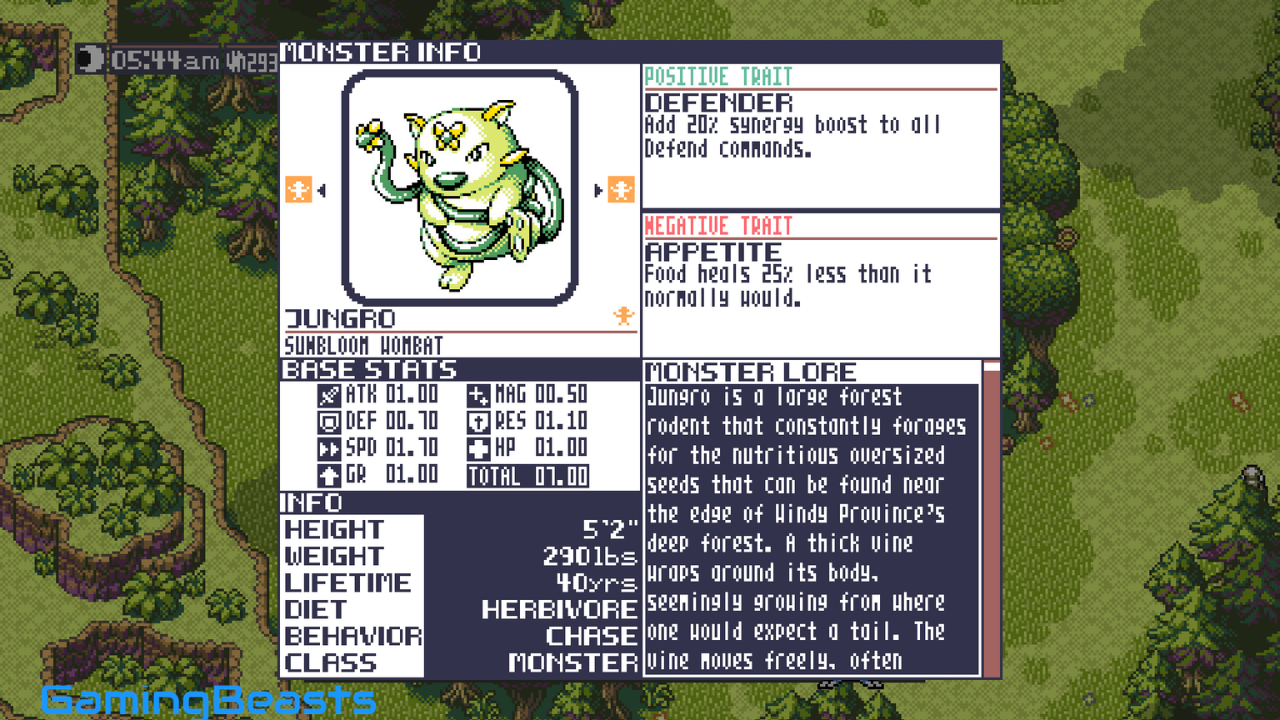
Monster Crown: Sin Eater Free Download
Download Link 1: Mega Download
Download Link 2: 1FICHIER Download
Download Link 3: PIXELDRAIN Download
Download Link 4: MediaFire Download
Download Link 5: GOFILE Download
Download Link 6: RANOZ Download
Download Link 7: BOWFILE Download
Download Link 8: FREEDLINK Download
Download Link 9: WDHO Download
Download Link 10: MIXDROP Download
Download Link 11: CHOMIKUJ Download
Download Link 12: VIKINGFILE Download
Download Link 13: DOWNMEDIALOAD Download
Download Link 14: HEXLOAD Download
Download Link 15: 1CLOUDFILE Download
Download Link 16: USERSDRIVE Download
Download Link 17: KRAKENFILES Download
Download Link 18: MEGAUP Download
Download Link 19: CLICKNUPLOAD Download
Download Link 20: DAILYUPLOAD Download
Download Link 21: DDOWNLOAD Download
Download Link 22: RAPIDGATOR Download
Download Link 23: NITROFLARE Download
Download Link 24: MULTI LINKS Download
Download Link 25: TORRENT Download