

Sep 19
admin
KovaaKs: Build 25192921
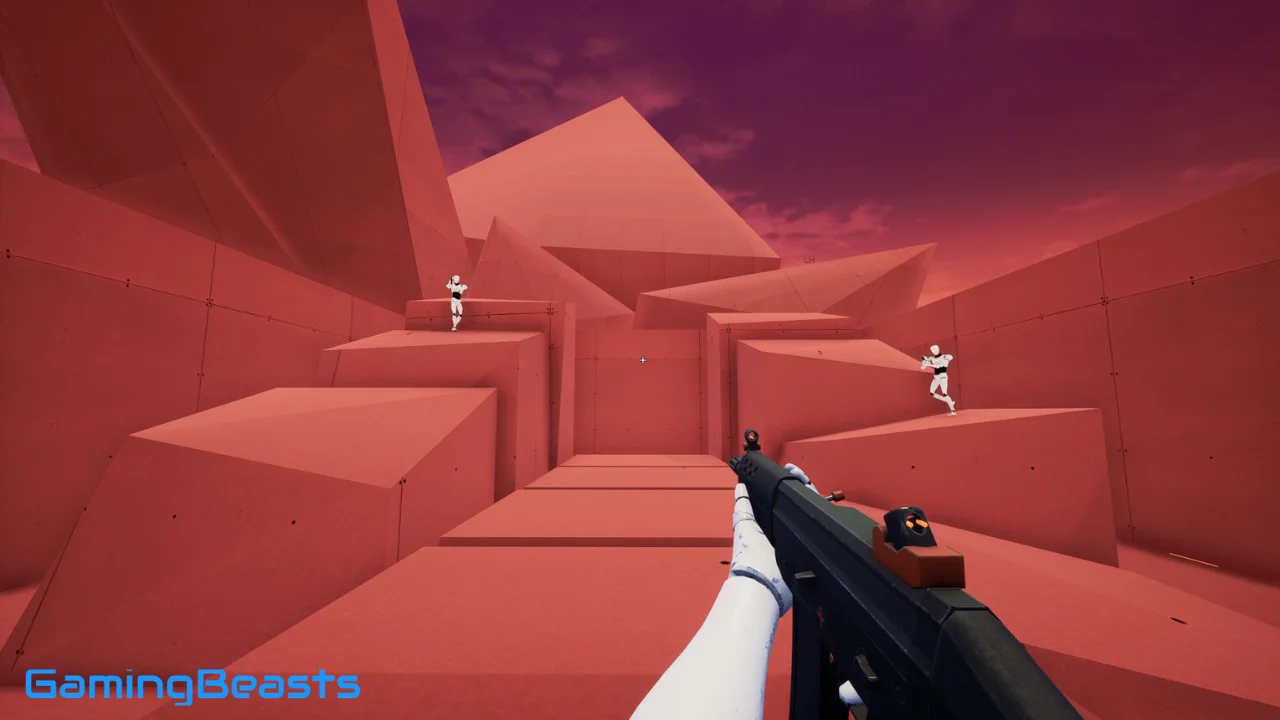
KovaaKs, officially styled KovaaK’s, is a dedicated FPS aim-training platform designed to help players improve mechanical aiming skills. It offers a huge library of community-created scenarios, customizable training options, leaderboards, playlists, and tools for practicing skills such as flicking, tracking, target switching, and precision.
The game originally released on Steam in 2018 and remains one of the most recognized dedicated aim trainers for PC players. Steam currently lists more than 200,000 scenarios and playlists, while the official KovaaK’s website provides community scenarios, leaderboards, and training tools.
If you are searching for KovaaKs vs Aim Lab, KovaaKs free, KovaaKs Steam, KovaaKs G2A, KovaaKs CS2, KovaaKs The Finals, KovaaKs online, or how to use KovaaKs, this guide answers the most common questions.
Is KovaaKs Better Than Aimlabs?
There is no universal answer because KovaaKs and Aimlabs are designed with somewhat different priorities.
KovaaKs is a paid PC aim trainer focused heavily on customization and its large community-created scenario ecosystem. Its Steam listing currently advertises more than 200,000 scenarios and playlists, along with a map editor and customizable game physics.
Aimlabs, meanwhile, is free to play at its core and emphasizes accessibility, game-specific training, analytics, playlists, and guided practice. Its Steam page currently describes thousands of training tasks covering tracking, flicking, target switching, and other FPS skills.
The practical difference can be summarized like this:
| Feature | KovaaKs | Aimlabs |
|---|---|---|
| Price | Paid | Free core experience |
| Community scenarios | Very large library | Very large library |
| Customization | Extensive | Extensive |
| Game-specific training | Yes | Strong emphasis |
| Analytics | Detailed performance stats | Extensive analytics |
| Workshop/community content | Yes | Yes |
| Best use case | Deep, customized practice | Accessible training and analytics |
For someone completely new to aim trainers, Aimlabs can be easier to start with because the core experience is free. For players who want extensive scenario customization and a mature community scenario ecosystem, KovaaKs provides a different training environment. An independent comparison similarly highlights Aim Lab’s free access and KovaaK’s depth and scenario variety. (Aiming Pro)
Can You Get KovaaKs for Free?
KovaaKs is not normally a free-to-play game on Steam. The Steam listing currently shows it at $9.99 USD, although regional pricing and promotions can change.
This is different from Aimlabs, whose core experience is listed as free to play.
You may see websites offering a KovaaKs free download, cracked version, or extremely cheap third-party key. These offers should be treated carefully. A legitimate Steam copy is the straightforward way to access the official PC version.
There is also a free KovaaKs.com profile/community account, but having a free website profile is not the same thing as getting the complete Steam aim trainer for free. The official Wiki confirms that KovaaK’s is available on Steam and that users can create a free profile on KovaaKs.com. (KovaaK’s Wiki)
How Expensive Is KovaaKs?
The current Steam listing shows KovaaKs at $9.99 USD.
The exact price you see can vary depending on your country, Steam’s regional pricing, taxes, and temporary discounts.
Because KovaaKs is a one-time Steam purchase rather than a traditional subscription-based aim trainer, the main cost is the initial game purchase. Players can then access the game’s scenarios and community content through the platform.
If you’re comparing costs, Aimlabs has a free core version, while KovaaKs requires a purchase. Aimlabs also offers optional paid features and content.
Does KovaaKs Actually Help?
Aim training can help develop specific mechanical skills, but it is not a substitute for playing the actual FPS game.
KovaaKs is useful because it lets players repeatedly practice specific movements and aiming patterns without waiting for a normal match. You can isolate skills such as:
- Flicking
- Tracking
- Target switching
- Clicking accuracy
- Reaction-based aiming
- Precision
- Mouse control
- Movement-related aiming
The platform’s customizable scenarios allow players to create practice environments around particular weaknesses. The official KovaaK’s Wiki documents scenario components such as weapon profiles, bot profiles, dodge profiles, aim profiles, and ability profiles.
However, good aim in a competitive game involves much more than moving a crosshair.
For games such as CS2, Valorant, Apex Legends, Overwatch 2, Fortnite, or The Finals, players also need:
- Crosshair placement
- Movement
- Positioning
- Game sense
- Recoil control
- Timing
- Decision-making
- Map knowledge
- Ability or utility usage
A useful routine is therefore to use KovaaKs as one part of training, followed by practice inside the actual game.
Does TenZ Use Aimlabs?
Yes. TenZ has used Aimlabs and has an official Aimlabs training course.
Aimlabs published a TenZ-focused Valorant training course covering topics including aim, settings, warm-up routines, positioning, decision-making, communication, and competitive play. The course specifically discusses TenZ’s warm-up routine in Valorant and Aim Lab.
Aimlabs has also published TenZ-specific training tasks and content. Its official material describes TenZ practicing in Aimlabs and includes a TenZ Valorant playlist designed around relevant aiming skills.
That does not mean that every player needs to copy a professional player’s exact routine. Professional players have different schedules, sensitivities, games, roles, and training goals. Instead, TenZ’s Aimlabs content can be useful as an example of how structured aim practice can fit into a broader FPS training routine.
What Is the Best Aim Trainer in the World?
There is no officially recognized single “best aim trainer in the world.”
KovaaKs and Aimlabs are among the most prominent dedicated aim-training platforms, but the better choice depends on what you want to practice.
KovaaKs places considerable emphasis on community-created scenarios, customization, and detailed mechanical practice. Its official platform currently features a large collection of scenarios, playlists, leaderboards, and user-created content.
Aimlabs emphasizes accessibility, game-specific training, analytics, and a large training library. Its current Steam description says the platform supports training for more than 400 games and includes thousands of scenarios.
For Valorant, Aimlabs has particularly strong official integration and TenZ-related content. For highly customized mechanical drills, many players use KovaaKs.
Rather than looking for one universal winner, consider the game you play and the particular skill you want to improve.
What Is the Best Aim Training App?
The answer depends on your platform and training goals.
For PC FPS players, KovaaKs and Aimlabs are two major choices. Aimlabs is especially convenient for players who want a free starting point, while KovaaKs is built around a paid dedicated training experience with extensive community content.
Aimlabs also supports training for a broad selection of games and offers performance analytics, custom playlists, creator tools, and game-specific training.
KovaaKs offers its own scenario editor and map creator, giving experienced users considerable control over how they train.
The best training app is therefore usually the one that provides the scenarios, controls, and feedback that match your specific game.
How Do I Use KovaaKs?
Getting started with KovaaKs is relatively straightforward.
1. Install KovaaKs
Purchase and install the game through Steam. The official Steam version is the primary PC release.
2. Choose Your FPS
Think about the game you want to improve at. Your training should reflect the mechanics of that game.
For example:
- CS2: precision clicking, target switching, recoil-related practice
- Valorant: clicking, micro-adjustments, target switching, movement
- Apex Legends: tracking and movement-heavy scenarios
- The Finals: tracking, target switching, and dynamic movement
- Overwatch: tracking and fast target switching
3. Start With Simple Scenarios
Don’t immediately choose the hardest scenario you can find.
Start with exercises that allow you to maintain reasonable accuracy and control. Once the scenario becomes comfortable, gradually increase the difficulty.
4. Use Consistent Sensitivity
If possible, configure KovaaKs to closely match your sensitivity and field of view from the FPS you play.
This makes the practice more relevant because your mouse movements become familiar.
5. Track Your Results
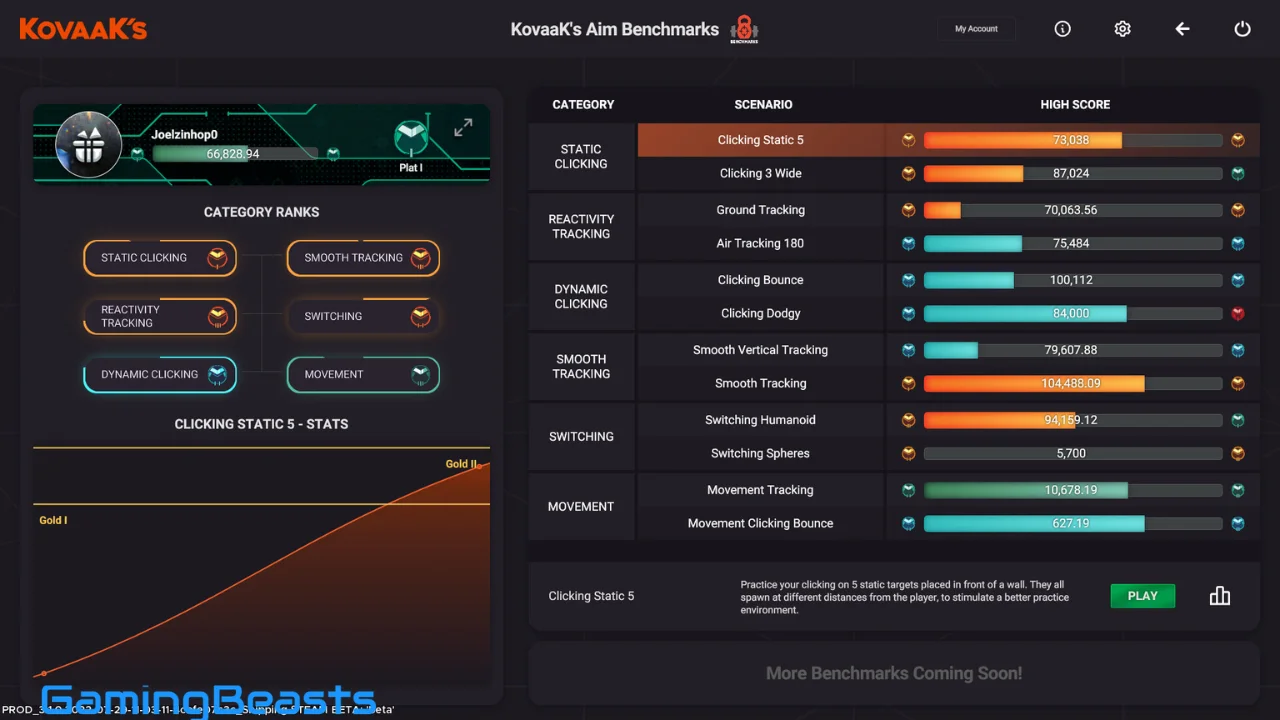
KovaaKs provides performance statistics and leaderboards, allowing you to compare scores and monitor improvement over repeated sessions.
Don’t focus only on getting a higher score. Accuracy, consistency, reaction time, and control can be more useful indicators depending on the exercise.
6. Return to Your Main Game
After aim training, play your actual FPS.
This is important because aim trainers cannot fully reproduce everything that happens during a competitive match. Your goal is to transfer the mechanical skills from the trainer into real gameplay.
Can You Use KovaaKs for CS2?
Yes. KovaaKs can be used as an aim-training tool for Counter-Strike 2.
The platform allows players to customize scenarios and emulate different weapon and movement characteristics. Its official Wiki describes weapon profiles and other scenario components that creators can use to build training exercises.
For CS2 players, useful training areas can include:
- Crosshair control
- Precision clicking
- Target switching
- Micro-adjustments
- Reaction training
- Tracking
- Movement-related aim
However, KovaaKs should complement rather than replace CS2’s own practice modes, deathmatch, recoil practice, and actual matches.
Can You Use KovaaKs for The Finals?
Yes. KovaaKs can be used for general FPS mechanics relevant to The Finals, including tracking, target switching, clicking, and mouse control.
Because The Finals includes fast movement and dynamic combat, players may benefit from combining aim-trainer practice with actual in-game movement and combat practice.
The official KovaaKs platform supports extensive customization and community-created scenarios, which makes it possible to find or create exercises around different FPS mechanics.
Does KovaaKs Have Online Multiplayer?
KovaaKs is primarily an aim-training and practice platform, rather than a traditional competitive multiplayer FPS.
Its main purpose is to train mechanical skills through scenarios, challenges, playlists, and leaderboards. Steam categorizes it with features including single-player, Steam Workshop, statistics, leaderboards, and controller support.
The community aspect is significant, though. Players can share scenarios, follow scores, compete on leaderboards, and participate in the broader KovaaKs community.
Does KovaaKs Have Mods?
KovaaKs has extensive user-created content, although “mods” is not always the most accurate term.
Steam Workshop allows users to create and share scenarios that define things such as weapons, characters, bots, movement, abilities, and challenges.
The official Wiki also provides documentation for creating scenarios and using the scenario editor. (KovaaK’s Wiki)
This community-created ecosystem is one of the biggest reasons players can find such a large variety of training exercises.
Final Thoughts on KovaaKs
KovaaKs is a dedicated aim trainer designed for FPS players who want structured, repeatable mechanical practice. Its major strengths are its huge community-created scenario library, customization options, map and scenario creation tools, statistics, and competitive leaderboards.
It is not free on Steam, with the current listing showing a $9.99 price, while Aimlabs provides a free core experience.
TenZ has also used Aimlabs and has official Aimlabs training content, demonstrating that dedicated aim training can be incorporated into a professional FPS routine.
Ultimately, KovaaKs works best when used as part of a broader practice routine: identify a mechanical weakness, train it consistently, measure your progress, and then apply that skill in your actual game.
KovaaKs v3.9.3 Free Download
Download Now
Direct Download
Mirror Download
Backup Link
Fast Download