

Oct 23
admin
Dire Echo Download for PC Build 23612973
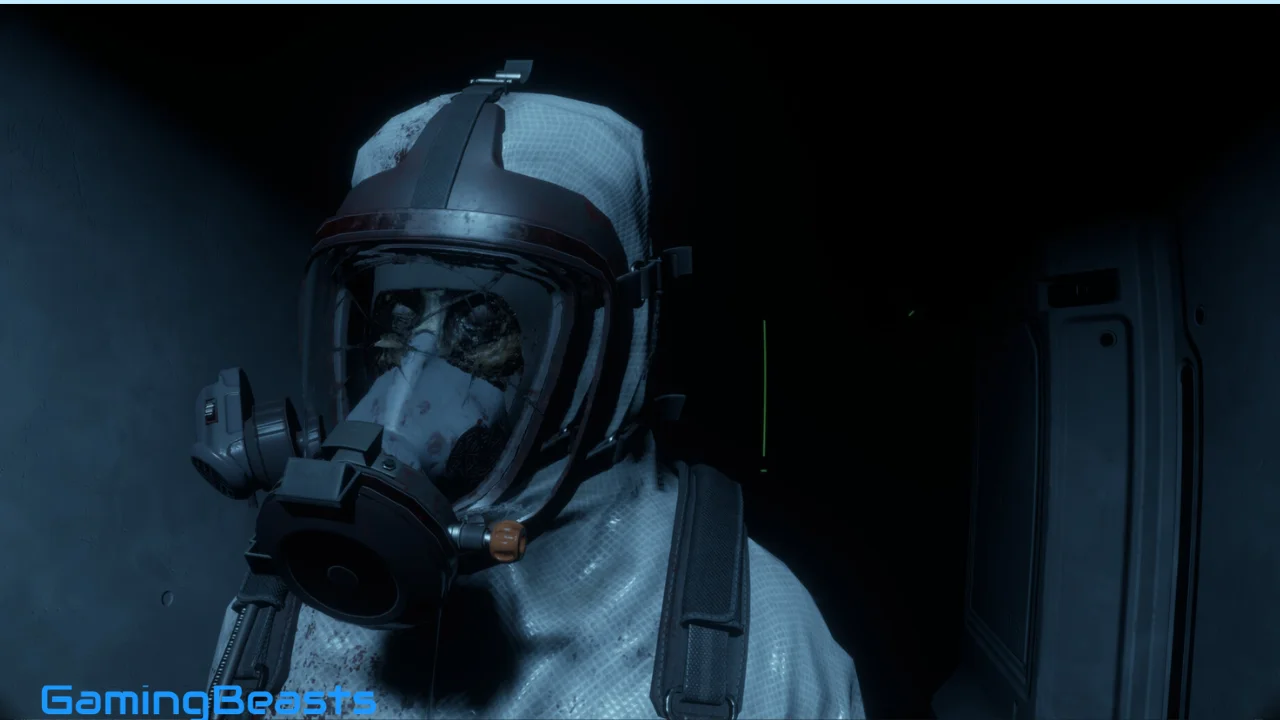
Dire Echo is a first-person psychological horror game that takes players into the unsettling silence of an abandoned research vessel drifting through deep space. Developed and published by TrueGames, the game combines atmospheric exploration, mysterious environmental clues, realistic-looking environments, and immersive sound design to create a tense science-fiction horror experience.
The story follows an astronaut who receives an unexpected assignment to investigate the research vessel Echo-7 after it loses communication with the outside world. A recent geomagnetic storm is blamed for the communication failure, but the situation becomes increasingly disturbing when the astronaut discovers empty corridors, abandoned belongings, and no sign of the missing crew.
For players searching for Dire Echo Download for PC, there are two official options worth checking: Steam and the developer’s itch.io page. The Steam version is a paid release, while the developer’s itch.io page has listed a free claim option. Since prices and promotions can change, always check the current terms on the official pages before downloading.
Dire Echo Game Overview
Dire Echo is designed for players who enjoy atmospheric horror, space mysteries, and first-person exploration rather than constant combat. Its focus is on building suspense through environmental storytelling, unsettling sounds, and the feeling that something dangerous may be nearby.
The game takes place primarily aboard Echo-7, a research vessel whose crew has mysteriously disappeared. As the astronaut investigates the station, players gradually discover more about the situation through exploration and the objects left behind.
Game Details
- Game Title: Dire Echo
- Developer: TrueGames
- Publisher: TrueGames
- Release Date: June 5, 2026
- Platform: Windows PC
- Genre: Psychological Horror, Adventure, Indie
- Perspective: First-person
- Game Mode: Single-player
- Game Type: Story-driven horror walking simulator
- Engine: Unreal Engine 5
- Steam Storage Requirement: 8 GB
- Official Steam Page: Dire Echo on Steam
- Developer’s itch.io Page: Dire Echo on itch.io
The game’s relatively focused design makes it suitable for players who want a compact horror adventure rather than a massive open-world game.
What Is Dire Echo?
Dire Echo is a psychological horror walking simulator set in the near future, when humanity is expanding farther into space. Players take the role of an astronaut traveling toward a remote station to deliver technical data.
During the journey, command gives the astronaut an additional task: visit the research vessel Echo-7 and retrieve important documents. The vessel has recently gone silent, supposedly because a geomagnetic storm disrupted communications.
When the astronaut reaches Echo-7, attempts to contact the crew receive no response. The ship appears functional from the outside, but its interior tells a different story. The corridors are empty, personal belongings have been left behind, and there is no obvious explanation for the crew’s disappearance.
Main Features of Dire Echo
First-Person Horror Exploration
The first-person perspective places players directly inside the abandoned vessel. Looking down a dark corridor or entering an unfamiliar room feels more immediate because the environment is experienced from the astronaut’s viewpoint.
This perspective also supports the game’s emphasis on discovery. Players can examine spaces and look for clues rather than observing the action from a distant camera.
Atmospheric Science-Fiction Environment
The abandoned spacecraft provides a distinctive setting for psychological horror. Research areas, empty passages, and isolated rooms create a believable science-fiction environment.
The confined location also helps maintain tension. Unlike an open-world horror game, the player spends much of the adventure inside a space where routes and surroundings can feel unfamiliar or restrictive.
Immersive Sound Design
Sound plays a major role in creating suspense. Quiet passages, environmental audio, and unexpected sounds help make the station feel unsettling.
Players who enjoy atmospheric horror should consider using headphones at a comfortable volume. Sound can make exploration more immersive, although it is not necessary to turn the volume excessively high.
Realistic-Looking Graphics
Dire Echo uses Unreal Engine 5 to create detailed environments and cinematic visuals. Lighting, shadows, and environmental presentation help reinforce the feeling of exploring an isolated research vessel.
The graphics are intended to support the horror rather than turn the game into a fast-paced action spectacle.
Dire Echo System Requirements
Before installing Dire Echo, check your PC against the specifications published on Steam.
Minimum System Requirements
- Operating System: Windows 10, 64-bit
- Processor: Intel Core i5-4460 or AMD Ryzen processor
- Memory: 8 GB RAM
- Graphics: NVIDIA GeForce GTX 1070 or AMD graphics card
- DirectX: Version 11
- Storage: 8 GB available space
- Processor and OS: 64-bit required
Recommended System Requirements
- Operating System: Windows 11, 64-bit
- Processor: Intel Core i7-8700K or AMD Ryzen processor
- Memory: 16 GB RAM
- Graphics: NVIDIA GeForce GTX 2070 or AMD graphics card
- DirectX: Version 11
- Storage: 8 GB available space
- Processor and OS: 64-bit required
Can Dire Echo Run on a Low-End PC?
The game lists 8 GB RAM as its minimum memory requirement, but the graphics card is also important. A computer with sufficient memory may still struggle if its GPU is below the listed minimum.
If performance is poor, try closing unnecessary background applications, updating graphics drivers, and reducing demanding graphics settings where available.
Beginner Tips for Dire Echo
Although Dire Echo is primarily an exploration-focused horror game, a few simple habits can improve the experience.
Explore Rooms Carefully
Do not rush through every area. Look around for documents, personal belongings, and environmental details that may explain the story.
Pay Attention to Sound
Audio cues contribute to the atmosphere and may draw attention to important events. Playing in a quiet environment can help you appreciate the sound design.
Read Available Information
Documents and other environmental clues may provide context for what happened aboard Echo-7. Taking time to understand them makes the story easier to follow.
Adjust Graphics Settings
If you experience stuttering or low frame rates, experiment with available graphics settings. Close unnecessary applications and ensure your graphics drivers are up to date.
Check the Controls
Familiarize yourself with movement and interaction controls before progressing far into the game. This can make exploration feel more comfortable.
Be Mindful of Flashing Effects
Because the game contains flashing lights and rapid transitions, players sensitive to these effects should review the official warning and stop playing if symptoms occur.
Frequently Asked Questions
Is Dire Echo available for PC?
Yes. Dire Echo was released for Windows PC on June 5, 2026. It is available through Steam and the developer’s itch.io page.
Is Dire Echo free to download?
The Steam version is paid. The developer’s itch.io page has displayed a free claim option, but availability can change. Check the official page for the current terms.
Where can I download Dire Echo safely?
Use the official Steam store page or the developer’s itch.io page.
What are the minimum system requirements for Dire Echo?
The published minimum requirements include Windows 10 64-bit, an Intel Core i5-4460 or AMD Ryzen processor, 8 GB RAM, an NVIDIA GeForce GTX 1070 or AMD graphics card, DirectX 11, and 8 GB of available storage.
Does Dire Echo have multiplayer?
No. The Steam listing identifies Dire Echo as a single-player game.
Is Dire Echo an action game or a walking simulator?
It is primarily a psychological horror walking simulator. Exploration, atmosphere, and story progression are more central than extensive combat.
How long does it take to finish Dire Echo?
The game is designed as a relatively compact horror experience, but completion time varies according to how carefully you explore and how quickly you progress. Check recent player reviews for current estimates.
Does Dire Echo contain jump scares?
The game relies on suspense, unsettling audio, and horror events. The intensity of these moments depends on the player’s experience, so watching gameplay footage can help you decide whether its style suits you.
Can I play Dire Echo on Windows 11?
Yes. Windows 11 is listed in the recommended requirements.
Conclusion
Dire Echo delivers a focused psychological horror adventure built around an abandoned research vessel, a missing crew, and an astronaut searching for answers. Its first-person exploration, unsettling sound design, and atmospheric science-fiction setting are its main strengths.
The gameplay emphasizes investigation and suspense rather than constant combat, making it a potential choice for fans of walking simulators and slow-burn horror. Players should also review the hardware requirements and the warning about flashing visual effects before starting.
If you are looking for Dire Echo Download for PC, check both official sources. Steam offers the standard paid version, while the developer’s itch.io page has listed a free claim option. Confirm the current availability and download terms directly before installing the game.

Dire Echo Free Download
Download Now
Mirror Download
Backup Link
Fast Download