

Oct 19
admin
Crosshair X Free Download Build 25550697
Crosshair X is a crosshair customization utility designed for PC gamers who want greater control over their aiming reticle. It allows players to create personalized crosshairs and display them over supported games, making it especially appealing to fans of first-person shooters (FPS), tactical shooters, and battle royale titles.
Many PC games already include crosshair customization settings, but others provide limited options. Crosshair X offers another way to personalize the aiming experience with adjustable designs, community-created crosshairs, and tools for building your own styles. You can experiment with different shapes, colors, sizes, and layouts to find a design that suits your preferences.
The software is developed and published by CenterPoint Gaming and is available through Steam. Although people often search for Crosshair X Free Download, the full Steam version is a paid product. An official Microsoft Store trial may also be available, so check the current listing before downloading.
In this guide, we will explore Crosshair X features, customization options, supported overlay functionality, PC requirements, installation steps, and the legitimate ways to try the software.
What Is Crosshair X?
Crosshair X is a PC utility that displays a customizable crosshair overlay on your screen. Rather than being a traditional video game, it works alongside compatible games to provide an additional aiming marker.
A crosshair is the small symbol that helps players identify the center of their screen when aiming. Some games allow extensive reticle customization, while others offer only a few basic designs. Crosshair X gives users another option for creating a style that matches their visual preferences.
The application includes a designer for creating custom crosshairs, along with community features that let users browse and share designs. You can choose a simple dot, a traditional cross, or a more elaborate design, depending on what works best for you.
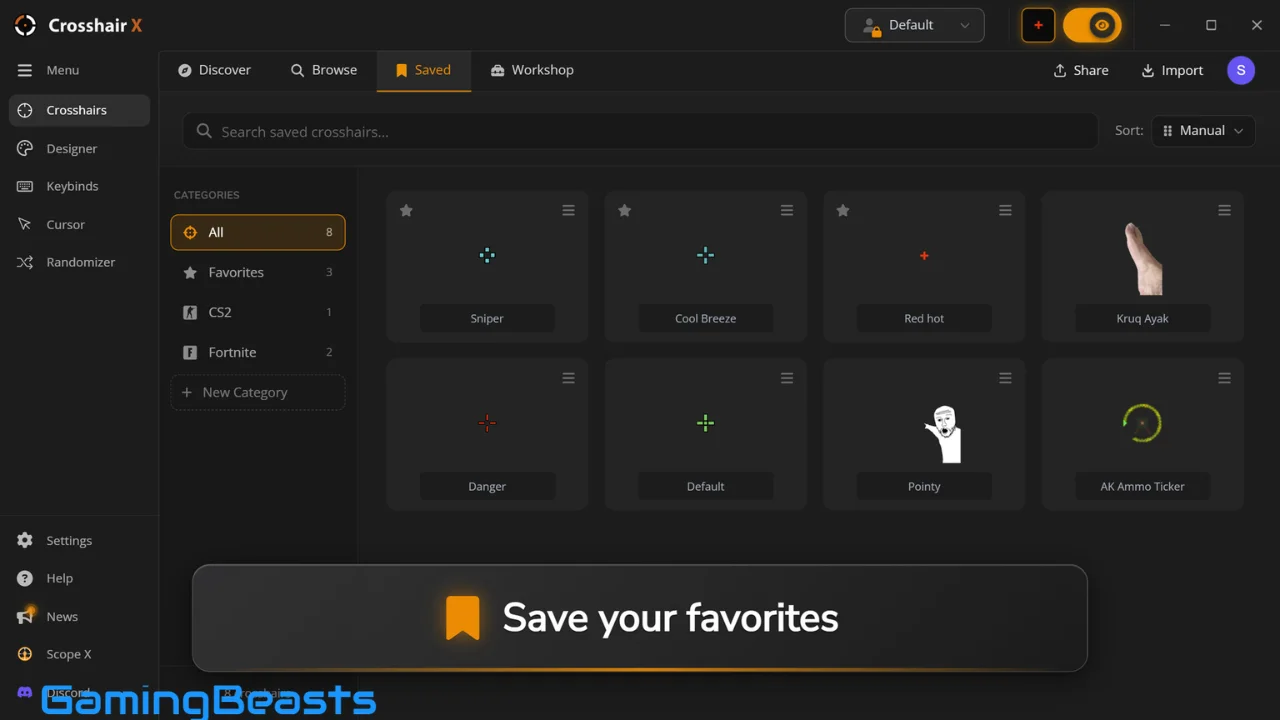
Crosshair X is particularly relevant to players who regularly switch between different shooters. Instead of relying on one fixed design, users can save their preferred crosshairs and select different options for their gaming sessions.
It is important to remember that Crosshair X does not automatically improve aim or guarantee better results. Its main purpose is personalization, and the effectiveness of any design depends on the player, the game, and the visibility of the reticle.
How Does Crosshair X Work?
Custom Crosshair Overlay
Crosshair X uses an overlay approach to display a custom aiming marker over compatible games. The application works with supported Windows overlay functionality rather than requiring players to replace a game’s original graphics or modify its files.
The overlay is useful when you want a different crosshair from the one provided by a game’s settings. You can experiment with various designs and decide which is easiest to see against different environments.
Compatibility can depend on the game, display mode, Windows configuration, and overlay settings. Some games may require additional configuration, so it is worth testing the software before relying on it for competitive play.
Create Your Own Crosshair
The built-in designer gives users control over the appearance of their crosshairs. You can create a simple reticle or experiment with more distinctive designs using the available drawing and shape tools.
Customization options include elements such as colors, line thickness, spacing, opacity, and different visual components. The newer designer also supports layered designs, allowing users to build more complex crosshairs.
This flexibility makes the utility suitable for people who prefer a minimalist aiming point as well as those who enjoy creating unique designs.
Browse Community Designs
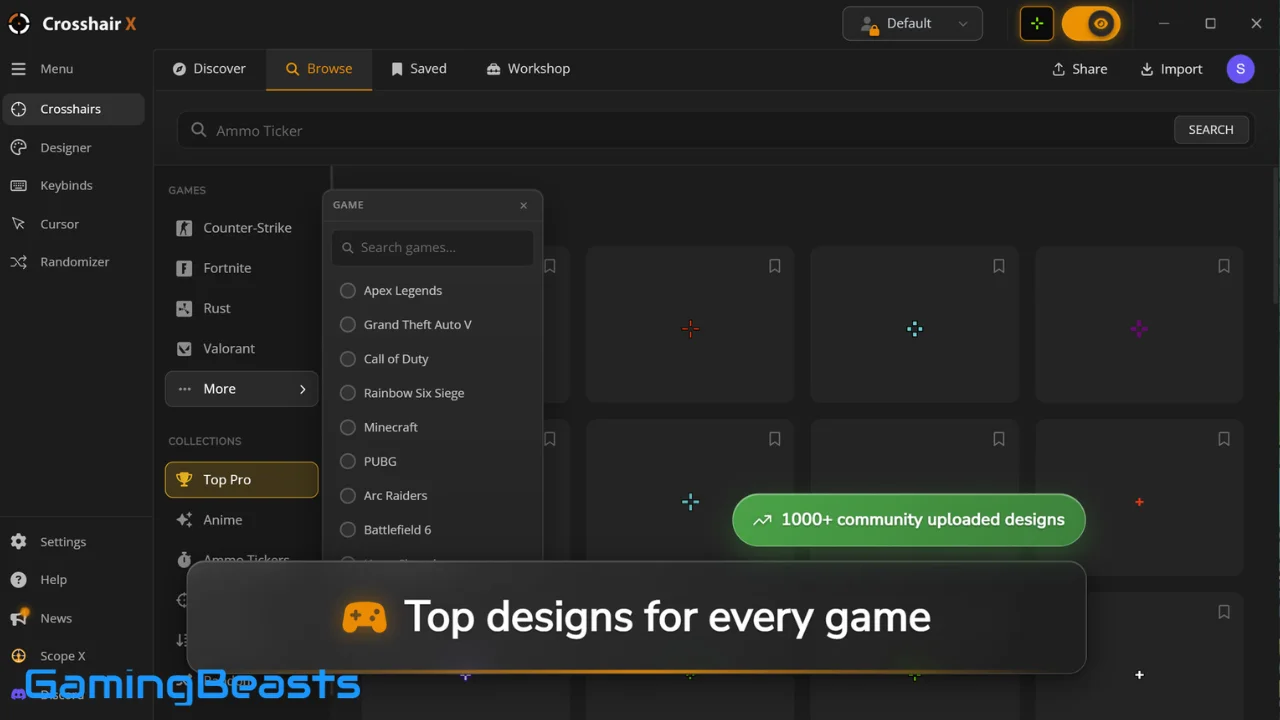
If you do not want to build a crosshair from scratch, you can explore designs created by other users. Community browsing makes it easier to discover styles associated with different games and play preferences.
You can preview designs, find one that suits your needs, and save or subscribe to supported community content. The available browsing and sharing features may vary with the application’s current version and connected services.
Final Thoughts
Crosshair X gives PC gamers a dedicated way to customize their crosshairs, browse community designs, and create personalized aiming markers. Its designer and overlay features make it an interesting option for players who want more control over their gaming setup.
Although the full Steam version is paid, an official trial may be available through the Microsoft Store. Check the official listings for current pricing, availability, and compatibility before installing.
If you want to experiment with custom crosshairs, visit the official Crosshair X Steam page to explore the software and its available download options.
Publication reference: Crosshair X’s official Steam information and announcements confirm its developer, operating-system requirements, and customization features
Crosshair X Free Download
Here you can find various download options for Crosshair X Build 23918547. Choose the one that suits you best:
| Description | Download Link |
|---|---|
| Direct Download | Download Now |
| Mirror Download | Fast Download |
| Backup Link | Backup Link |
| Torrent Download | Torrent Link |
| Alternative Link | Download Link 1 |