

Nov 01
admin
Craftomation 101 Programming and Craft Download
If you enjoy automation games, creative programming challenges, crafting, and resource management, Craftomation 101: Programming & Craft offers an interesting combination of these elements. Developed and published by Luden.io, this indie simulation game challenges players to transform a frozen planet into a habitable world by programming small robots called CraftoMates.
Instead of manually completing every task, players create visual programs that tell their robots what to do. These tiny machines can collect resources, transport materials, craft useful items, and support the expansion of an automated production system.
The game combines visual programming with sandbox simulation, giving players opportunities to experiment with logical instructions, functions, variables, and arrays. As the planet develops, players must also manage resources, maintain warmth, produce fuel, and work toward environmental transformation.
What Is Craftomation 101: Programming & Craft?
Craftomation 101: Programming & Craft is a single-player automation and crafting simulation game built around visual programming.
The main objective is to turn a frozen planet into a living environment. Players begin with limited resources and a small robotic workforce. They must gradually develop automated systems that can gather materials, manufacture products, and support the planet’s transformation.
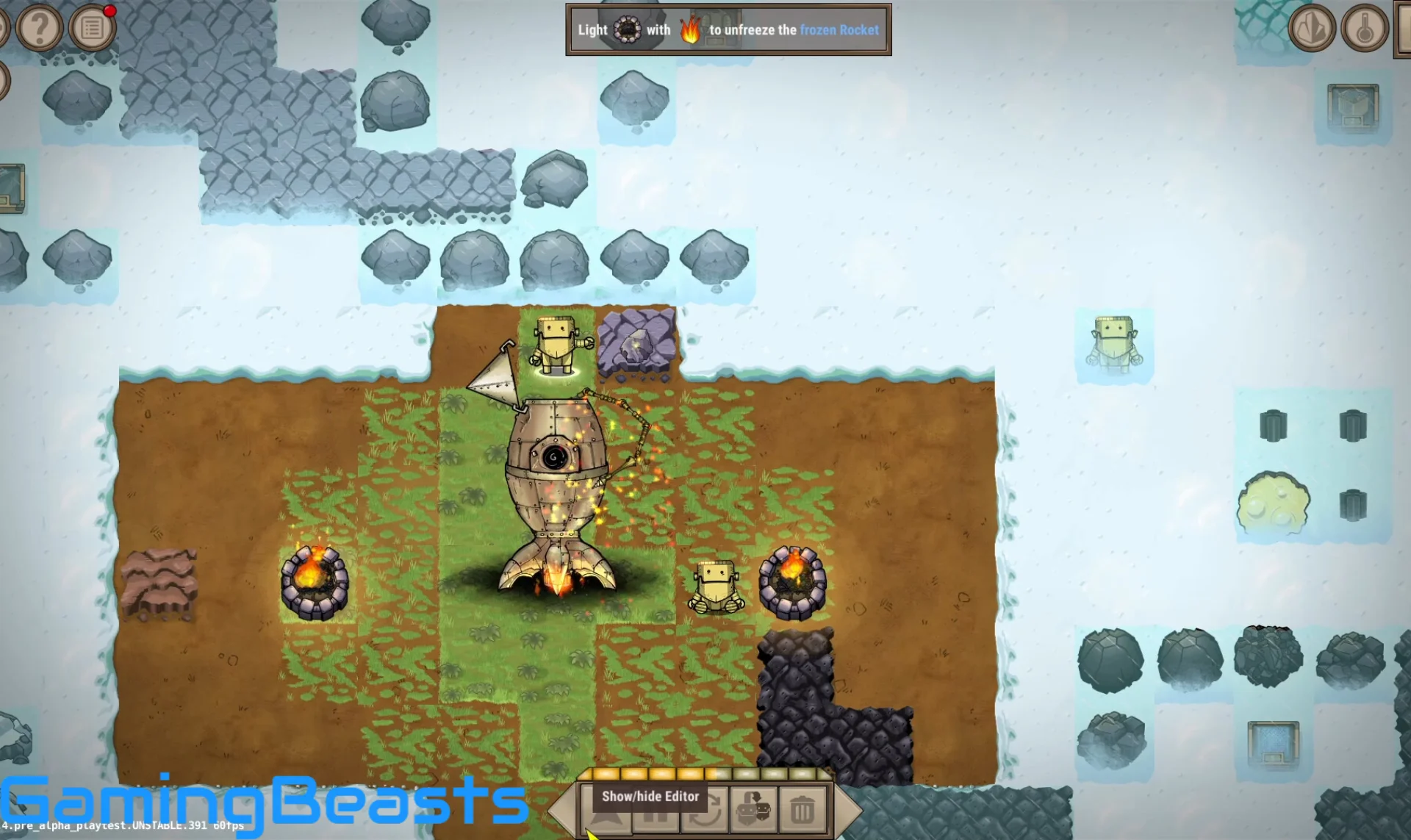
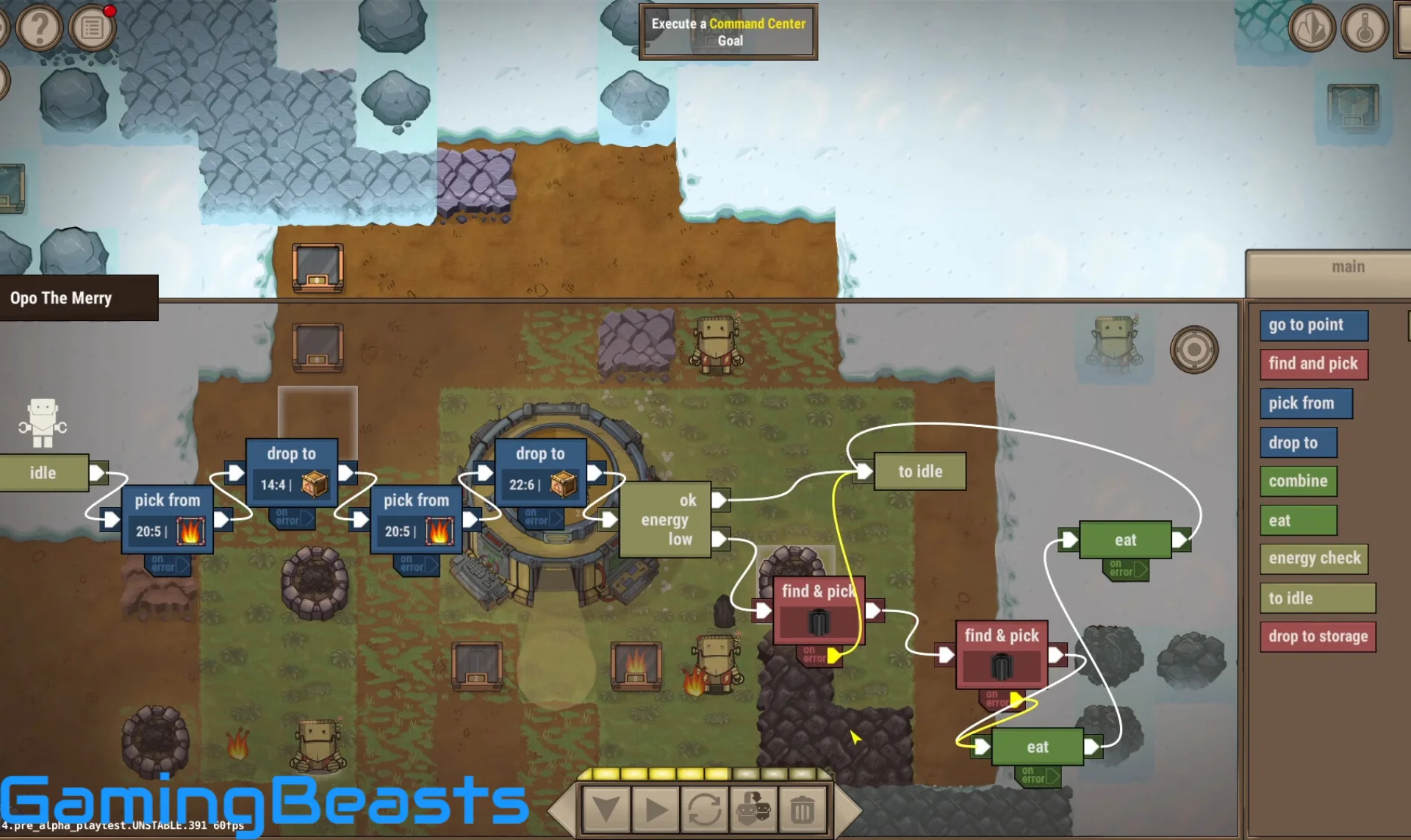
The game’s most distinctive feature is its programming system. Instead of directly controlling every robot’s movement, players create instructions using visual programming blocks. These commands allow robots to perform repetitive activities automatically.
As players progress, they can build more advanced programs using functions, variables, and arrays. This creates opportunities to design efficient production systems and coordinate several robotic workers.
Story and Frozen Planet Setting
The adventure takes place on a frozen planet where the environment is far from suitable for life.
Players arrive with the objective of transforming this icy world into a habitable place. However, completing such a large task requires much more than collecting a few resources. The player must develop an organized system capable of supporting long-term production and environmental improvement.
At the beginning, resources and available equipment are limited. Players must collect materials, discover crafting possibilities, and create the first automated routines.
The small robots become essential to the mission. They can perform repeated jobs while the player focuses on improving their instructions and expanding the production system.
As the adventure progresses, players work toward maintaining warmth, producing necessary materials, planting trees, and improving the planet’s conditions.
Gameplay Mechanics
Craftomation 101 combines several gameplay systems that work together. Programming controls the robots, resource gathering provides materials, crafting creates useful products, and automation helps expand the entire operation.
Visual Programming System
Visual programming is the central mechanic of Craftomation 101.
Players create instructions by connecting different programming blocks. These blocks tell robots how to move, collect materials, process resources, and complete specific activities.
The system allows players to develop programs without needing to write traditional programming code.
At the beginning, simple commands are enough to complete basic tasks. As the game progresses, however, more complicated routines become necessary.
Players must understand how instructions work together and arrange commands in the correct order. A poorly designed program can result in inefficient production or robots performing unwanted actions.
Testing and improving programs is therefore an important part of the experience.
Main Features of Craftomation 101: Programming & Craft
Creative Visual Programming
Build instructions using connected visual blocks instead of writing traditional code. Create simple routines and gradually develop more advanced programs.
Programmable CraftoMates
Assemble small robotic workers and use them to complete repetitive activities throughout the frozen planet.
Automated Resource Gathering
Program robots to collect materials and transport resources to the appropriate production locations.
Crafting and Manufacturing
Combine materials, discover recipes, and automate the production of useful items.
Advanced Programming Tools
Use functions, variables, and arrays to create more sophisticated automation routines.
Self-Sustaining Robot Workforce
Develop a growing network of robots that can support resource collection, production, and other essential activities.
Frozen-Planet Terraforming
Work toward transforming an icy environment into a habitable world through resource management and environmental development.
Procedural Planet Generation
Explore different generated layouts and experiment with new resource-gathering and automation strategies.
Shareable Planet Seeds
Share interesting planet-generation seeds and try different starting environments.
Single-Player Sandbox Experience
Enjoy a personal automation adventure without requiring multiplayer participation.
Graphics and Visual Presentation
Craftomation 101 uses a colorful visual presentation that supports its science-fiction setting.
The frozen planet provides the main environment, with resources, structures, and other features contributing to the overall appearance.
The small CraftoMate robots are an important part of the visual identity. Their design makes the automated workforce easy to recognize while supporting the game’s approachable atmosphere.
As players develop the planet, new structures and environmental changes help communicate their progress.
The visual presentation focuses on clarity and functionality. This is especially useful in an automation game where players need to understand how different systems and objects interact.
Audio and Language Support
Audio contributes to the atmosphere of Craftomation 101 through music and sound effects.
Background music supports the science-fiction environment, while sound effects provide feedback during different activities.
The Steam listing advertises support for 32 interface languages. Players should check the current store language table for the complete list.
Interface-language support does not automatically mean that every language includes full voice acting. Check the official store information for the latest audio details.
Game Modes and Replayability
Craftomation 101 is a single-player game focused on sandbox automation and planetary development.
Its replayability comes from the freedom to experiment with different programming solutions and production systems.
Players can create simple routines or develop complicated automated networks depending on their experience and preferred approach.
Procedurally generated planets also provide additional variety. Different resource and feature placements can encourage players to modify their strategies.
The ability to share generation seeds adds another reason to explore different worlds.
The game also includes difficulty options, giving players opportunities to adjust the challenge according to their preferences.
Latest Updates and Full Release
Craftomation 101 originally launched in Early Access on February 19, 2024.
After a development period of more than two years, the game reached its full release on September 14, 2026.
During development, Luden.io worked on expanding the programming tools, improving the gameplay systems, and developing the planetary automation experience.
The full release provides players with the complete commercial version rather than the earlier Early Access build.
The game has also received post-release updates. Version 1.0.13, released in October 2026, introduced features including Hardcore difficulty, custom difficulty options, and browser-based Craftopedia.
Players should check the Steam announcements page for newer patches, bug fixes, and additional changes.
Craftomation 101 System Requirements
One advantage of Craftomation 101 is its relatively modest minimum PC requirements.
The following specifications are listed for the game.
Minimum Windows Requirements
| Component | Minimum Requirement |
|---|---|
| Operating System | Windows Vista / 7 / 8 / 10 / 11 |
| Processor | 1.2 GHz |
| Memory | 1 GB RAM |
| Graphics | Intel HD Graphics 3000 |
| Graphics API | OpenGL 2.0+ |
| DirectX | Version 9.0 |
| Storage | 100 MB available space |
Minimum macOS Requirements
| Component | Minimum Requirement |
|---|---|
| Operating System | macOS 10.13 or later |
| Processor | 1.2 GHz |
| Memory | 1 GB RAM |
| Graphics | Intel HD Graphics 3000 |
| Graphics API | OpenGL 2.0+ |
| Storage | 100 MB available space |
Minimum Linux Requirements
| Component | Minimum Requirement |
|---|---|
| Operating System | Ubuntu 16.04+ or SteamOS |
| Processor | 1.2 GHz |
| Memory | 1 GB RAM |
| Graphics | Intel HD Graphics 3000 |
| Graphics API | OpenGL 2.0+ |
| Storage | 100 MB available space |
Recommended System Requirements
A separate complete recommended specification was not confirmed in the available listing.
Therefore, players should not rely on unofficial recommended hardware figures. Check the official Steam page for the latest requirements.
Although the minimum specifications are modest, performance may depend on the complexity of the automated systems and the number of active robots.
How to Download and Install Craftomation 101 on PC
Steam is the recommended platform for purchasing and installing the full PC version.
Follow these steps:
- Visit the official Craftomation 101 Steam store page.
- Sign in to your Steam account.
- Create a Steam account if you do not already have one.
- Review the game description and system requirements.
- Purchase the full version through the official store.
- Download and open the Steam desktop client.
- Visit your Steam Library.
- Find Craftomation 101: Programming & Craft.
- Select the Install option.
- Choose your preferred installation drive.
- Wait for Steam to download and install the game files.
- Select Play when installation is complete.
If you want to try the game before purchasing, visit the developer’s official itch.io page and check the available demo instructions.
Who Should Play Craftomation 101?
Craftomation 101 is particularly suitable for players who enjoy creative simulation games and solving problems through automation.
It may appeal to:
- Fans of automation and factory-building games.
- Players interested in visual programming.
- People who enjoy crafting and resource management.
- Fans of robot-building games.
- Players who like sandbox simulations.
- Gamers interested in logical thinking and problem-solving.
- Fans of science-fiction and terraforming themes.
- Players who prefer single-player experiences.
However, people who mainly enjoy fast-paced action, competitive multiplayer, or combat-focused games may prefer a different genre.
Frequently Asked Questions
What is Craftomation 101: Programming & Craft?
Craftomation 101 is a single-player automation and crafting simulation game. Players program small robots to gather resources, manufacture items, and transform a frozen planet into a habitable environment.
Who developed Craftomation 101?
The game was developed and published by Luden.io.
When was Craftomation 101 fully released?
The full release took place on September 14, 2026. The game originally entered Early Access on February 19, 2024.
Is Craftomation 101 available on Windows?
Yes. The game is available for Windows PC through Steam.
Can I play Craftomation 101 on macOS and Linux?
Yes. Steam lists support for Windows, macOS, and Linux.
Is Craftomation 101 free to play?
No. The full game is paid. A separate demo is available for players who want to try the experience.
What are CraftoMates?
CraftoMates are small programmable robots that perform tasks such as resource gathering, transportation, and crafting.
How does the visual programming system work?
Players connect visual programming blocks to create instructions for their robots. These instructions determine how robots complete different activities.
Can players automate crafting and resource gathering?
Yes. Automation is one of the game’s central mechanics. Players can create programs that allow robots to collect materials, transport resources, and support production.
Does Craftomation 101 support functions, variables, and arrays?
Yes. These programming concepts help players create more advanced and organized automation routines.
Can players generate different planets?
Yes. Procedural generation changes aspects of the planet layout, including the placement of resources and environmental features.
Is Craftomation 101 a multiplayer game?
No. It is designed as a single-player experience.
What are the minimum PC requirements?
The listed Windows requirements include a 1.2 GHz processor, 1 GB RAM, Intel HD Graphics 3000 with OpenGL 2.0+, DirectX 9.0, and 100 MB of available storage.
Final Verdict
Craftomation 101: Programming & Craft is an interesting choice for players who enjoy automation, crafting, logical problem-solving, and creative simulation experiences.
Its biggest attraction is the visual programming system. Instead of manually controlling every task, players create instructions that allow small robots to gather resources, manufacture products, and support the development of an automated workforce.
The frozen-planet setting gives these mechanics a clear objective. Players gradually build production systems, maintain their robotic workers, and work toward transforming an icy environment into a living world.
Functions, variables, arrays, procedural planet generation, and shareable seeds provide additional depth and replayability.
The game is especially appealing to automation enthusiasts and players interested in programming-inspired gameplay. Beginners may need some time to understand the more advanced systems, but experimenting with simple instructions provides a natural starting point.
Craftomation 101 Free Download
| Download Option | Link |
|---|---|
| Direct Download | Download Now |
| Mirror Download 1 | Mirror Download |
| Mirror Download 2 | Mirror Download |
| Mirror Download 3 | Mirror Download |
| Backup Link | Backup Link |
Explore more
If you enjoyed Craftomation 101, you may also like The Coma 3: Bloodlines, The Boss: Gangster Criminal Empire, or Scritchy Scratchy.