

Sep 17
admin
Air Defender: Build 25258620
Air Defender is a real-time air-defense strategy and simulation game developed and published by ROTOR3. Instead of flying a fighter jet yourself, you take control of an air-defense operation and manage radar contacts, aircraft identification, Quick Reaction Alert (QRA) fighters, AWACS aircraft, tankers, weapons, and other assets. The game is set around a detailed air-defense scenario and asks players to make decisions based on radar information, aircraft behavior, and rules of engagement.
The game launched into Early Access on November 28, 2025, and is currently available on PC through Steam. Its developers originally estimated an Early Access period of around 12 months, while continuing to add systems, aircraft, training content, and improvements based on community feedback.
If you have been searching for Air Defender free, Air Defender mobile, Air Defender Judy, Air Defender demo, Air Defender tutorial, Air Defender Discord, or Air Defender Steam, this guide covers the important details.
What Is Air Defender?
Air Defender is an air-defense command simulation rather than a traditional flight game.
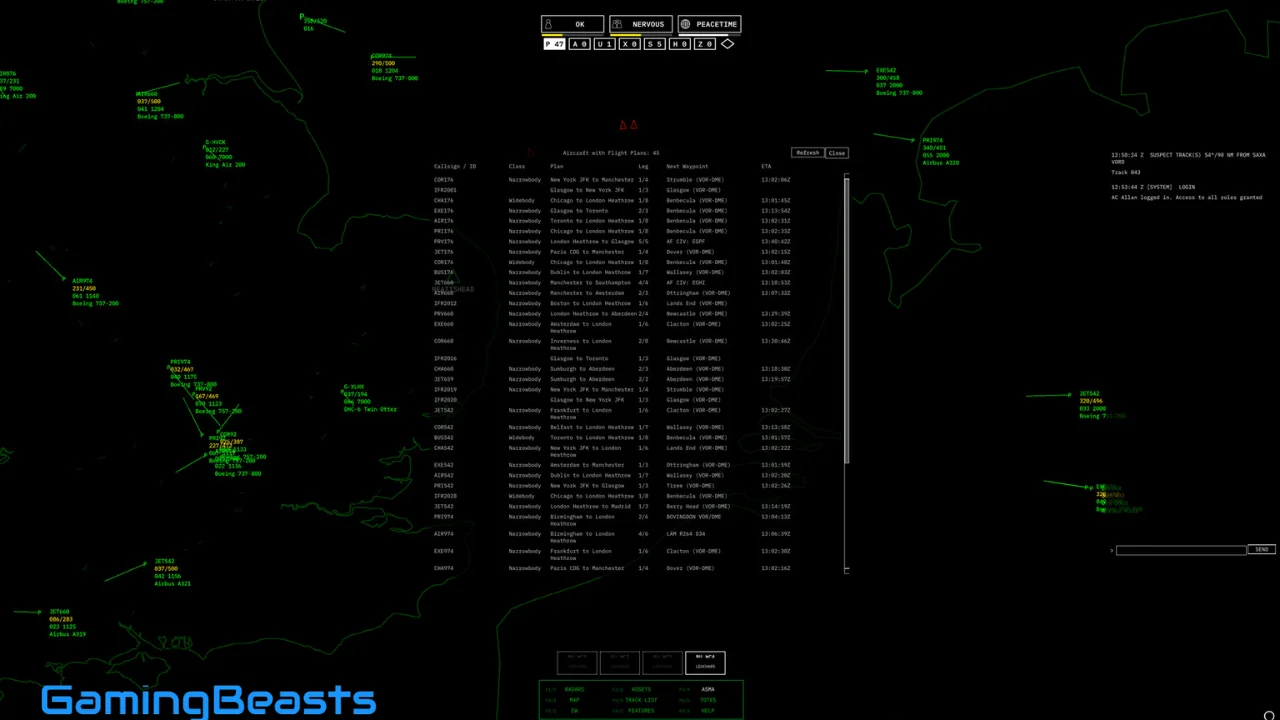
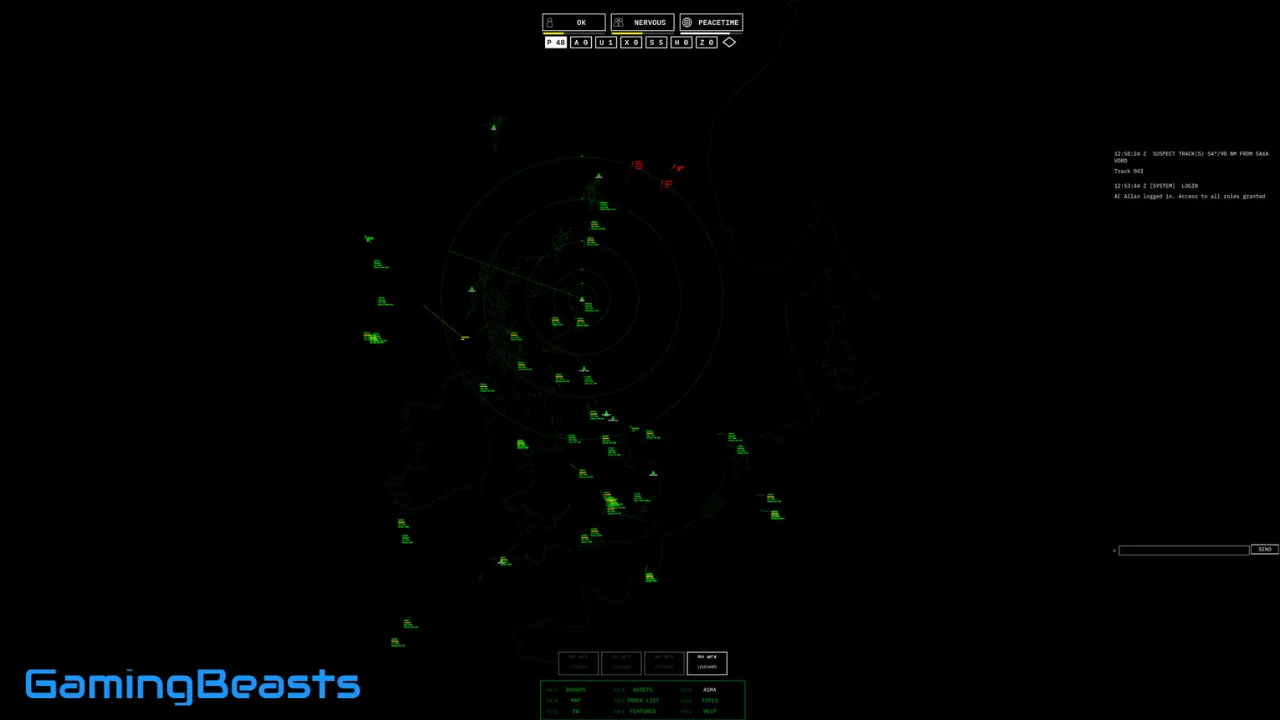
You sit in an operations room and manage the airspace from a strategic viewpoint. Radar contacts appear on your screen, and you must determine whether an aircraft is civilian, friendly, unknown, suspicious, or hostile.
When necessary, you can scramble interceptor aircraft to investigate the contact.
The game’s main gameplay loop revolves around:
- Monitoring radar
- Identifying aircraft
- Checking flight information
- Managing QRA interceptors
- Directing fighter aircraft
- Deploying AWACS
- Managing tanker support
- Monitoring fuel and weapons
- Following rules of engagement
- Responding to hostile activity
- Protecting UK airspace
The developers describe the game as a high-stakes real-time strategy simulation where the player acts as an air-defense commander rather than a fighter pilot.
That distinction is important. If you are looking for a game where you personally fly an aircraft, Air Defender is not designed around that experience.
Is Air Defender Free?
No, the Steam version of Air Defender is not a free-to-play game.
The game is sold on Steam and is currently in Early Access. The listed price can vary by region and during Steam sales, so players should check the current store price before purchasing. (Steam Store)
There is also no need to download an unofficial “Air Defender free” version. Since the game is available through Steam, the official version is the safest way to access current updates, saves, and community content.
The game continues to receive updates during Early Access, so buying the official version also gives players access to the ongoing development process.
Is Air Defender Available on Mobile?
Currently, Air Defender is a PC game available through Steam, rather than an officially released Android or iOS game.
The official Steam listing provides Windows system requirements, including Windows 10 or later, 8 GB RAM, and a DirectX 11-compatible graphics card.
That means searches for “Air Defender mobile” should be treated carefully.
If you find an Android APK claiming to be the official Air Defender game, verify the developer and source before installing it. The official game is currently associated with ROTOR3 and its Steam release.
Is There an Air Defender Demo?
Air Defender does not need a traditional demo to explain its basic gameplay because the Early Access version includes Basic Training and Trade Training modes.
The developers currently describe three major options:
- Combat Ready
- Basic Training
- Trade Training
Basic Training introduces important controls and systems, while Trade Training provides more advanced scenarios. Combat Ready is the main endless gameplay mode where you protect UK airspace against increasingly challenging threats.
This makes the training modes particularly useful for new players who are unfamiliar with radar operations, aircraft identification, QRA procedures, and asset management.
How Does the Air Defender Tutorial Work?
The Air Defender tutorial is designed to teach the basic systems before you start dealing with more complicated air-defense situations.
Community guides recommend playing the tutorial before attempting the more advanced scenarios because the game contains many different controls and procedures.
Basic Training covers areas such as:
- Managing the Assets panel
- Tasking interceptors
- Sending aircraft on Combat Air Patrol
- Tasking AWACS
- Creating tanker tracks
- Identifying radar contacts
The game’s Trade Training missions then introduce more specific challenges, including identifying suspicious aircraft and intercepting potential threats.
Best Way to Learn Air Defender
New players should avoid immediately jumping into the most difficult situations.
A good progression is:
Basic Training → Trade Training → Combat Ready
First learn where information appears on the radar and flight panels. Then practice identifying aircraft. After that, learn how to manage interceptors, fuel, and other assets.
Once you understand those systems, Combat Ready becomes much easier to follow.
What Does JUDY Mean in Air Defender?
JUDY is one of the most frequently searched terms associated with Air Defender.
In the game, JUDY is part of the interceptor procedure. It allows the interceptor to take control of the interception for the next stage of the engagement.
When an interceptor reaches a target and establishes the appropriate visual or tactical situation, the interception can progress through procedures such as:
JUDY → identification → shadowing → show of presence → show of force → turn-away or escalation → RTB
The game’s recent updates have specifically improved the JUDY sequence so that intercepts can progress correctly through the full procedure.
Earlier versions had issues where interceptors could sometimes become stuck after visual identification. Updates have addressed several of those problems.
How Do You Use JUDY?
JUDY can be accessed through the interceptor’s command controls in situations where the aircraft needs to take control of the interception.
Community discussions explain that players can right-click the interceptor on the map and select JUDY when appropriate.
However, recent versions have improved the automatic JUDY behavior, so players may also hear or see JUDY occur as part of the normal interception procedure.
If you are following an intercept and nothing appears to happen, check the sortie’s logs and radio communications before assuming the aircraft is stuck.
What Is JUDY Used For?
JUDY is important because Air Defender isn’t simply about sending a fighter toward a radar contact.
An interception involves multiple stages.
The player may need to:
- Detect an aircraft.
- Analyze its information.
- Determine whether it is suspicious.
- Scramble a QRA interceptor.
- Allow the interceptor to reach the contact.
- Establish visual identification.
- Begin the appropriate escalation procedure.
- Decide whether the aircraft should be escorted, turned away, or engaged.
Recent updates specifically improved the sequence after JUDY, including escorting, show-of-presence, show-of-force, turn-away warnings, compliance, and return-to-base procedures.
This is one reason the game feels more like an air-defense command simulator than a normal strategy game.
Is Air Defender a Multiplayer Game?
Air Defender is primarily a single-player simulation.
The Steam listing describes it as a single-player strategy and simulation game. Its gameplay is centered on one player managing the air-defense network, aircraft, radar, and operations room.
However, the game has an active community around it, including player-created guides and a community Discord.
The community has created handbooks, tutorials, walkthroughs, and specialized guides covering systems such as the Bloodhound surface-to-air missile.
Does Air Defender Have a Discord?
Yes. The Air Defender community uses Discord for discussion, troubleshooting, feedback, and development-related communication.
Community members have directed players to the game’s Discord when they encounter bugs or unusual interception behavior.
Discord can be particularly useful for an Early Access game because updates can change mechanics, procedures, controls, and aircraft behavior.
If you join the community, you can also find discussions about:
- Radar identification
- QRA procedures
- JUDY
- Aircraft behavior
- Fuel management
- Bugs
- New updates
- Community guides
- Gameplay strategies
What Is Air Defender Steam?
Air Defender on Steam is the official PC version developed by ROTOR3.
It launched on November 28, 2025, and remains in Early Access. The Steam version receives regular updates and currently includes multiple training modes, Combat Ready gameplay, aircraft interception, radar systems, AWACS, tankers, and other air-defense mechanics.
The game has also received substantial updates during 2026. A major September 2026 update improved interceptor procedures, radio communications, aircraft coordination, radar behavior, fuel systems, and several other aspects of the simulation.
What Is Air Defender Combat Ready Mode?
Combat Ready is the main endless gameplay mode.
You are responsible for protecting UK airspace while dealing with civilian traffic, unknown aircraft, enemy aircraft, and increasingly complicated situations.
Your performance can influence the intensity of the scenario. The developers state that enemy aircraft numbers and weapon loads can depend on how effectively you perform your role.
This makes Combat Ready different from a conventional campaign.
There is no simple sequence of missions where you know exactly what will happen. Instead, you monitor the airspace and react to developing situations.
You may have several aircraft in the sky simultaneously, forcing you to decide where your limited interceptors, tankers, and surveillance assets should be positioned.
What Aircraft Can You Use in Air Defender?
The game includes several types of military aircraft and support assets.
Depending on the scenario and current version, these include:
- Tornado F3 interceptors
- AWACS aircraft
- Tanker aircraft
- Other historical aircraft connected to the game’s 1998 setting
The game also includes civilian aircraft with flight plans and different flight profiles.
This mixture is important because not every radar contact is an enemy.
You must distinguish between normal civilian traffic and potentially hostile aircraft before taking action.
Air Defender System Requirements
The game is designed to run on relatively modest PC hardware.
Minimum Requirements
- Windows 10 64-bit or later
- 4-core CPU
- 8 GB RAM
- DirectX 11-compatible GPU
- Around 1 GB of storage
Recommended Requirements
- Windows 10 22H2 or Windows 11
- 6-core CPU
- 8 GB RAM
- GTX 960/1050 Ti or RX 560-class graphics
- 2 GB or more VRAM
These requirements come from the game’s current Steam listing and can change while the title remains in Early Access.
Is Air Defender Worth Playing?
Air Defender is particularly interesting for players who enjoy military simulations, radar operations, strategy games, Cold War scenarios, resource management, and detailed command systems.
It is not designed to provide constant action.
There can be periods where you are mainly monitoring radar, checking flight information, managing assets, and waiting for a situation to develop. That slower pace is part of the simulation.
The game has received a mixture of community feedback about its Early Access state, with some players praising its depth and others criticizing its slower pace or current limitations.
Because it is still in Early Access, the experience can also change significantly as new systems and improvements are introduced.
Final Thoughts on Air Defender
Air Defender is a specialized air-defense simulation where the player becomes the person responsible for monitoring radar, identifying aircraft, scrambling interceptors, and managing the wider air-defense network.
For beginners, the best way to approach Air Defender is to learn the radar and identification systems first, understand how QRA aircraft work, and then gradually move into more complicated interception scenarios. Once the basic procedures become familiar, the game’s detailed command-and-control mechanics become much easier to understand.
Air Defender Free Download
Download Now
Direct Download
Mirror Download
Backup Link
Fast Download